
Table of Contents
- What is a web banner and why is it important?
- Banner sizes for websites
- Banner dimensions for social media
- How to create an effective banner for websites
- Where to publish banners
- Benefits of web banners in marketing strategies
What is a web banner and why is it important?
A web banner is a graphic format used to promote a product or service on a webpage. It is one of the most common tools in online advertising, integrated into campaigns to capture users’ attention. These visual spaces, often appearing in strategic spots on a website, are designed to increase traffic or direct visitors to a landing page.
Their effectiveness lies in the combination of graphic elements, compelling text, and a clear call to action (CTA).
Clicking on a banner redirects users to a landing page where the offer, service, or product promoted through the banner is detailed.
A well-designed banner not only enhances the user experience but also delivers a significant return on investment (ROI) when placed in carefully chosen advertising spaces.

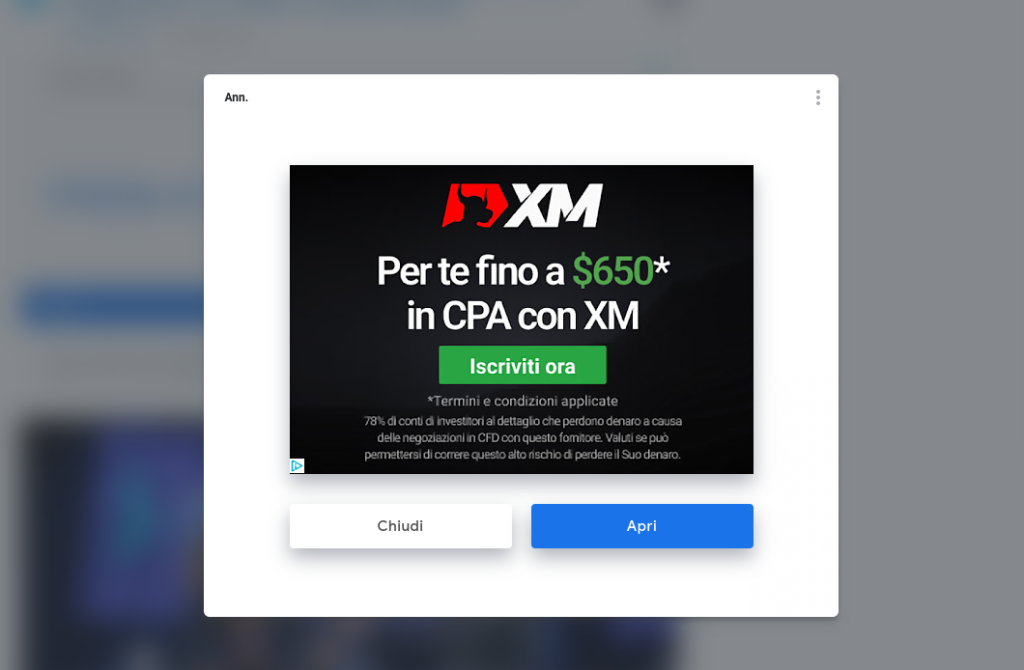
Banners often feature images, like the example of the pop-up below:
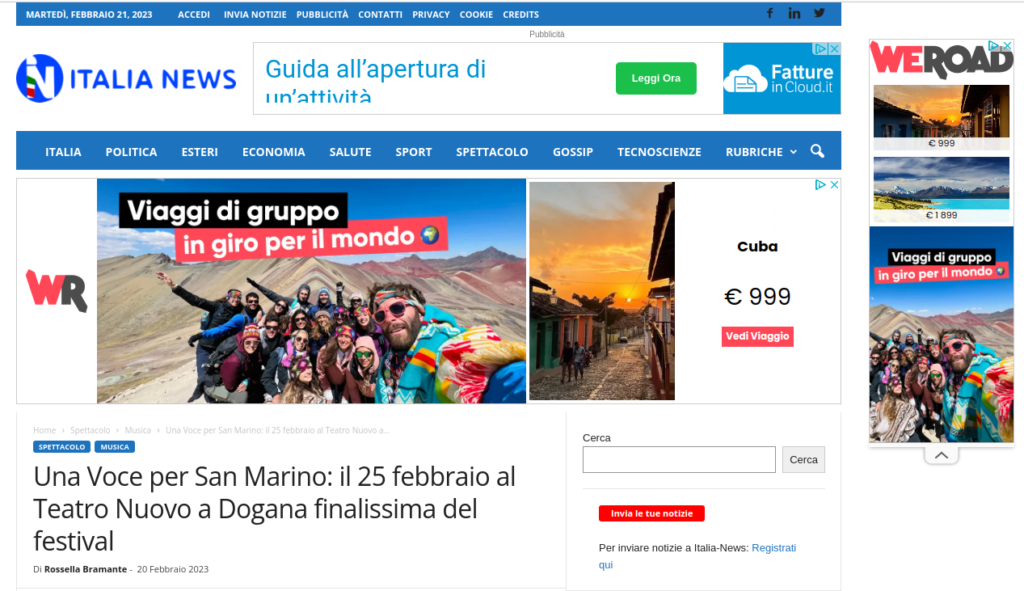
In the example below, you can even see three banners of different formats:
Banner sizes for websites
One of the first considerations when creating a banner is selecting the right size. Advertising banners come in various formats, but some standard sizes are universally recognized for their effectiveness:
- 468 x 60: a classic format known as the “Full Banner,” ideal for the top or bottom of a webpage.
- 300 x 250: the “Medium Rectangle,” highly popular on mobile and desktop due to its versatility.
- 728 x 90: known as the “Leaderboard,” often seen at the top of websites.
- 160 x 600: the “Wide Skyscraper,” well-suited for sidebars.
These formats are optimized to grab attention without disrupting navigation. Google Ads and other advertising platforms recommend these sizes to maximize the effectiveness of campaigns.
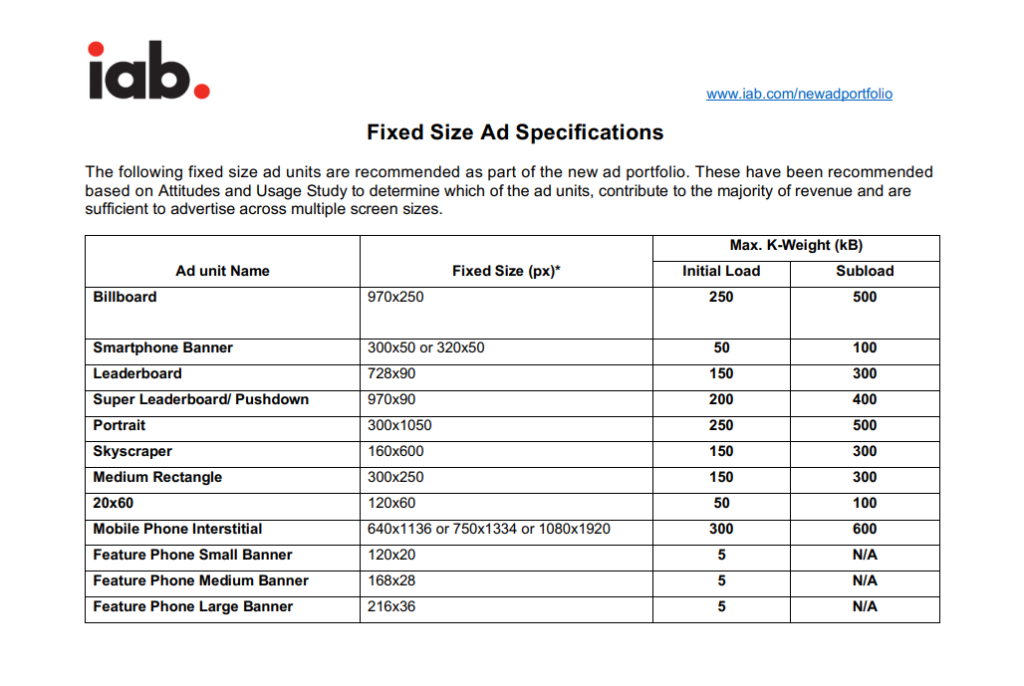
For a comprehensive list of formats and technical specifications for banners, you can refer to the IAB’s PDF, which provides details on weights and dimensions for optimal usability across devices.
Popular banner types and examples
Billboard (970 x 250)
Frequently used for impactful promotions.
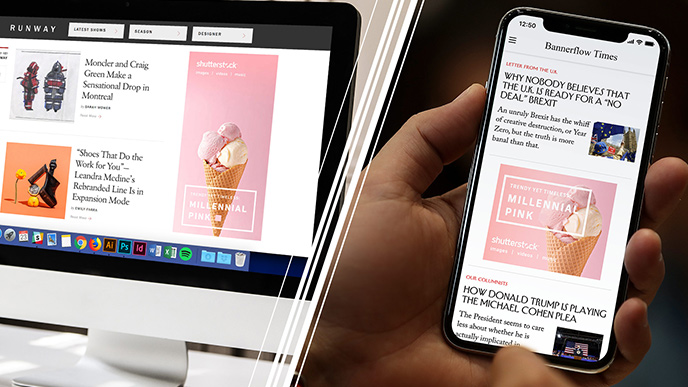
Smartphone banners (300 x 50 or 320 x 50)
Ideal for mobile ads.
Leaderboard (728 x 90)
Commonly placed at the top of a site, often alongside the logo.
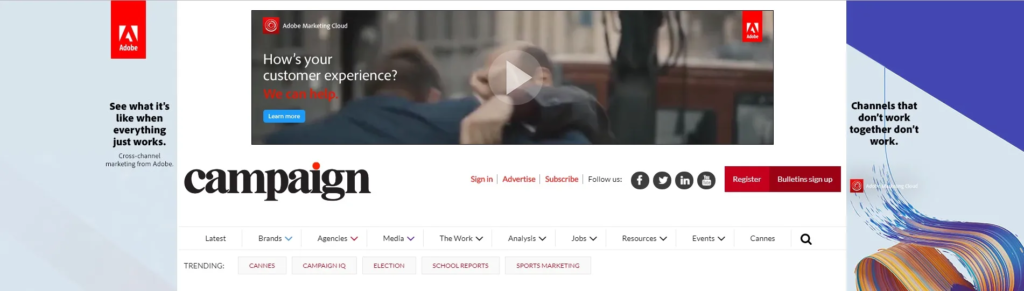
It was the most used banner ever at the dawn of the internet and was almost obligatorily displayed at the top of the site to the right of the logo. It is still used today although less frequently.
With current screen resolutions it is much easier to find a leaderboard in the center of the page.
Here is an example of a 728*90 leaderboard right next to the logo

Super Leaderboard/Pushdown (970 x 90)
A larger variation of the leaderboard.
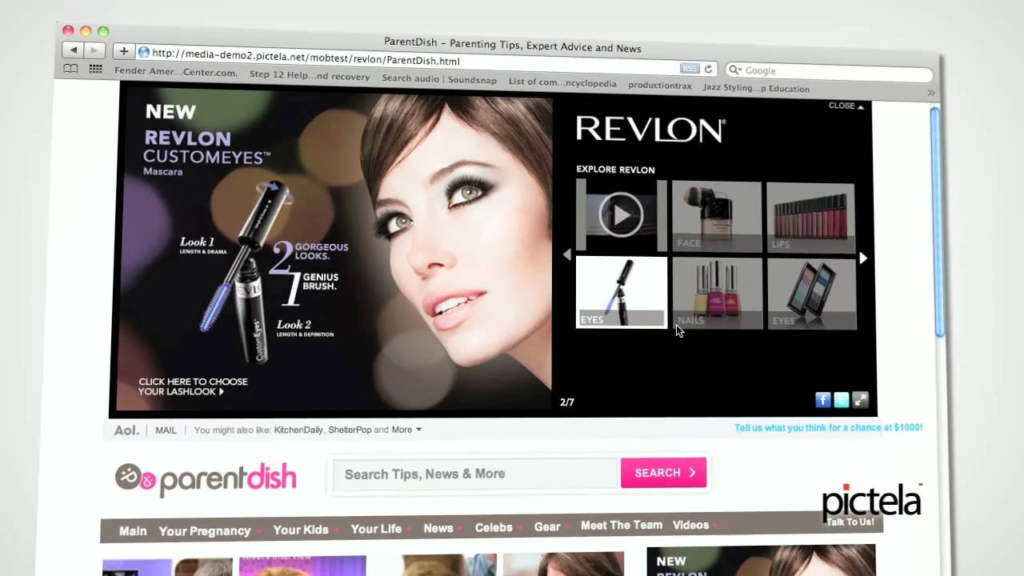
Like the leaderboard but larger is the Pushdown with a banner size of 970 x 90 pixels
Here is an example:
Portrait (300 x 1050)
Often found in side columns.
It is a banner often visible in the side columns of a web page.
Skyscraper (160 x 600)
Slimmer than the portrait, typically placed on sidebars.
As the portrait is often visible on the sidebars of a site but smaller in size
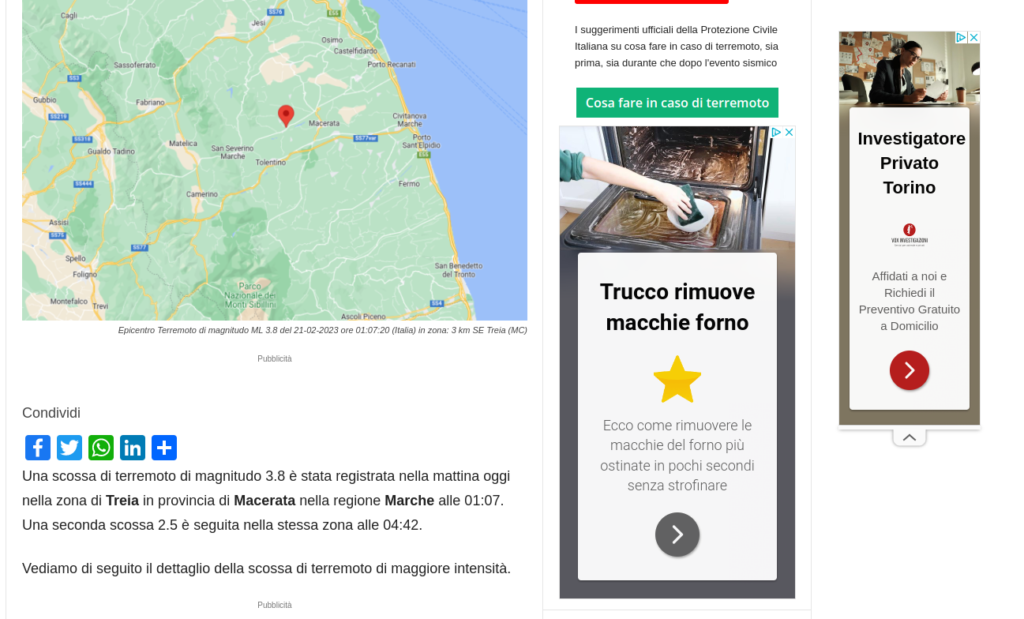
In the example below we see the coexistence of two banners, a portrait and a skyscraper
Medium Rectangle (300 x 250)
Among the most widely used formats, suitable for side columns or within text on mobile devices.
One of the most used formats ever because they adapt well to a side column of a web page but also in the body of a text to be scrolled on a mobile phone.

120×60
It is a very small banner that adapts to all devices even if it is not often proposed due to its difficult readability.
Mobile Phone Interstitial
Full-screen ads frequently seen when updating apps or browsing certain websites.
This type of banner is often seen on mobile phones. They are those Intext ads that take up the entire screen when for example you update an app on a Chinese android phone or simply browse a website.
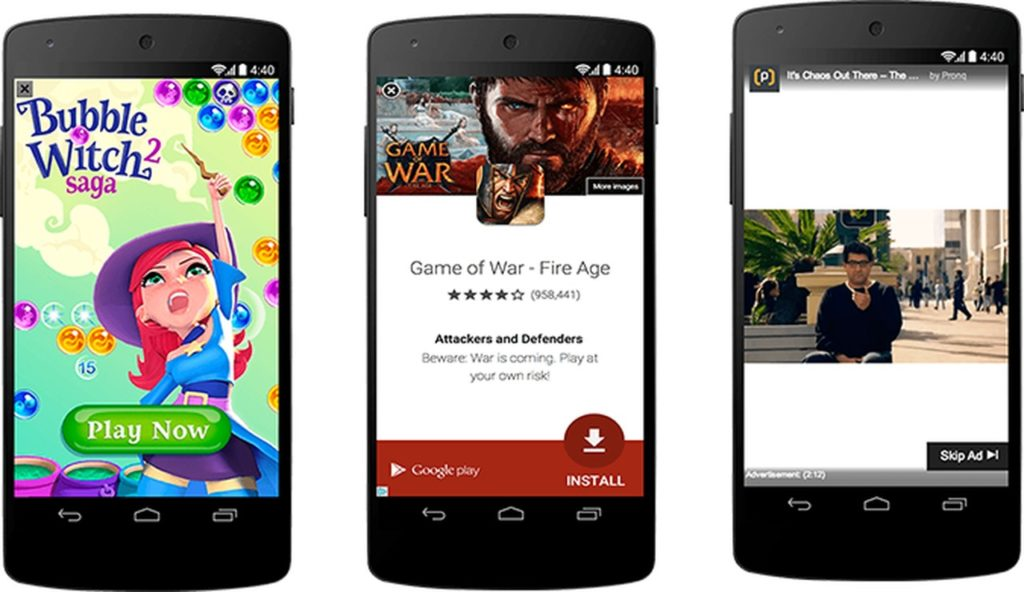
Feature Phone Small Banner 120×20
Feature Phone Medium Banner 168×28 –
Feature Phone Large Banner 216×36
These are formats suitable for mobile phones even if they are not widely used. Generally, formats with greater height are preferred to these for greater visibility of the advertising message.
Banner dimensions for social media
While not traditional banners, social media images have specific sizes to ensure optimal display.
For example, to update a Facebook profile you need to know that the ideal image that can include your face or your logo must have very specific dimensions.
Let’s see below all the banner formats for social channels
- Profile picture: 176 x 176 pixels on desktop, 196 x 196 pixels on smartphones.Cover photo: 851 x 315 pixels.Posts:
- Horizontal: 1200 x 630 pixels.
- Vertical: 630 x 1200 pixels.
- Square: 1200 x 1200 pixels.
- Profile picture: 165×165 px
- Size: 238×284 px
- Board pin: 238x
- Pin in feed: 238x (scaled height)
- Pin zoomed: 735x (infinite pixels)
- profile: 400×400
- header: 1500×500
- shared image: 440×220
- Profile image 320×320
- Maximum image resolution: 2048×2048
- Photos taken from mobile device: 612×612
- Square profile : 268×268
- Cover image: 1128×191
YouTube
- cover: 2560×1440
- profile 800 x 800
- tablet: 1,855×423
- mobile: 1,546×423
- tv: 2,560×1,440
- desktop: 2,560×423
How to create an effective banner for websites
Creating a successful banner requires a clear strategy. Key elements to consider include:
- Engaging design and text: A clean layout and a concise message are essential. Avoid overcrowding the banner with too much information.Visible CTA: Phrases like “Learn more,” “Buy now,” or “Start today” should stand out.Mobile optimization: Ensure the banner performs well on both desktop and mobile devices.Brand consistency: Use colors, fonts, and images that reflect your brand identity.Monitoring and testing: Tools like Google Analytics can help determine which banners perform best and how to optimize them.
A practical example could be a web banner ad promoting a product or service on sale, with a direct CTA such as “Save 20% now!“.
Where to publish banners
Choosing the right placement for your banner is crucial to the success of your advertising campaigns. Effective locations include:
- Ad networks like Google Ads: These enable you to reach a broad, targeted audience.
- Industry websites: Placing banners on platforms that share your target audience yields better results.
- Social media: Visual banners perform exceptionally well on platforms like Facebook and Instagram.
Benefits of web banners in marketing strategies
Web banners offer numerous advantages for businesses. They not only drive traffic to your website but also have a direct impact on sales and brand awareness.
When strategically placed and optimized, banners can:
- Attract new users.
- Strengthen brand identity.
- Promote interaction with specific products or services.
Investing in strategic ad spaces and high-quality design can make the difference between a campaign that stands out and one that goes unnoticed.
Sign up for the newsletter. Stay updated!
We will send you periodical important communications and news about the digital world. You can unsubscribe at any time by clicking the appropriate link at the bottom of the newsletter.


Leave a Reply